Version
3.7.1.250630
Version
3.7.1.250630
 Package Name
com.kyocera.kyoprintolivetti
Package Name
com.kyocera.kyoprintolivetti
 Category
Business Office
Category
Business Office
 Size
185.25MB
Size
185.25MB
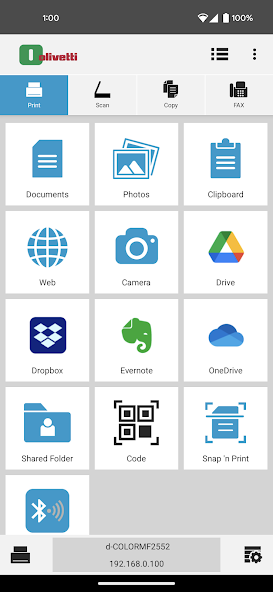
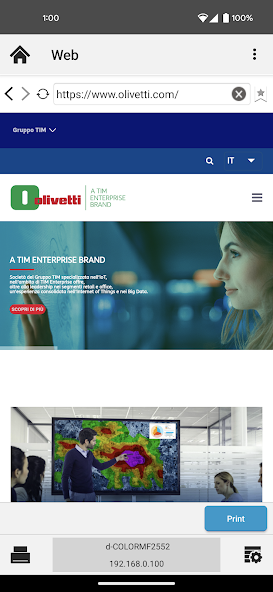
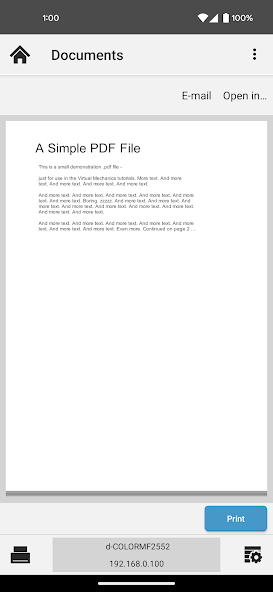
Use Olivetti printing devices via your mobile device
With the Mobile Print app, you can use your Android mobile device to discover compatible Olivetti printing devices on your local Wi-Fi network. If supported by your printing device, Wi-Fi Direct lets you connect directly to a printing device without a local Wi-Fi network. When connected, you can do the following:
• Print photos and documents stored on your Android mobile device. Mobile Print can handle a wide range of file formats, including .PDF, .JPG, .PNG, .TIFF, and .TXT or Google Docs. You can also print .HTML files at lower resolution
• Scan your documents on a compatible printing device and save them to your Android mobile device or a supported external service
• Attach and send documents that are stored within the app by email
• Print webpages accessed through the app's built-in web browser
The following external services are supported in Mobile Print:
• Dropbox
• Evernote
• OneDrive
• Google Drive
• SMB (Shared Folder)
The Mobile Print app is compatible with the following Android mobile devices and Olivetti printing devices:
• Android mobile devices running Android version 5.0 or later
• Olivetti printing devices that support PDF Direct Print 1.4 or later







 Download APK(185.25MB)
![[VEGA] V Protection](https://images.goldandglory.cc/uploads/20260514/logo_6a04bd55bb30c1.jpg)